Upscale Construction Management

AI training & consulting for construction

Find Opportunities to Save, Earn, and Grow with AI.

AI can help your team reduce repetitive work, examine costs, and identify opportunities worth pursuing. Get practical training and support built around the work your business does every day, with tools you may already be using.

Prefer to try it yourself? Start with three introductory AI prompts for schedules, drawings, and email threads.

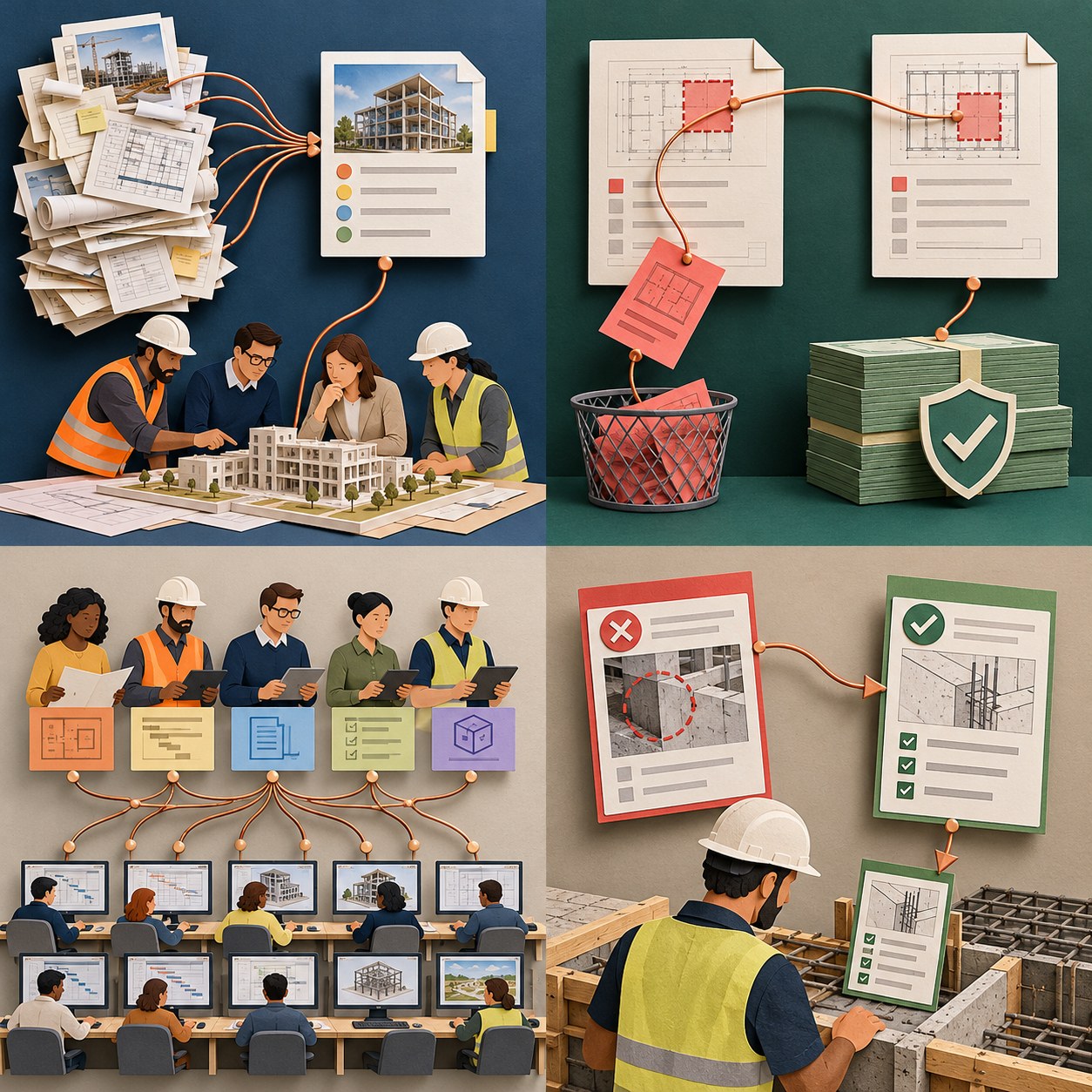
Conceptual illustration of AI connecting construction information: Project knowledge. In your team’s hands.
Project knowledge. In your team’s hands.Upscale

We help you turn the information you already have into opportunities you can act on, with tools you already have available.

Your drawings, schedules, emails, and project records hold valuable connections. Learn to use AI to bring them together.

Scattered project records become a useful briefing and team coordination meeting

Save time for higher-value work.

Bring drawings, schedules, emails, and meeting notes into a focused action brief. Spend less time searching and compiling—and more time coordinating work, resolving questions, and moving decisions forward.
Linked scope documents reveal overlapping work for review and potential savings

Find opportunities to protect margin.

Compare scope, procurement, and project records to flag possible overlaps, missing information, and timing issues. Give your team specific opportunities to investigate before avoidable cost reaches the job.

A small team shares repeatable workflows with a larger group

Build capacity to grow.

Turn useful review methods into repeatable workflows your team can share. Help more people handle more work with consistent information, practical training, and less repeated effort.

A previous wall-placement error becomes an upfront layout check for the next crew

Bring lessons learned forward before work begins.

Bring relevant past issues and successful solutions into the next work plan. Put the right checks in front of the team before work begins—even when they do not yet know what to ask.

Practical training.
Support that fits your work.

Upscale helps individuals, teams, and companies apply AI to real construction work—with tools you may already be using.
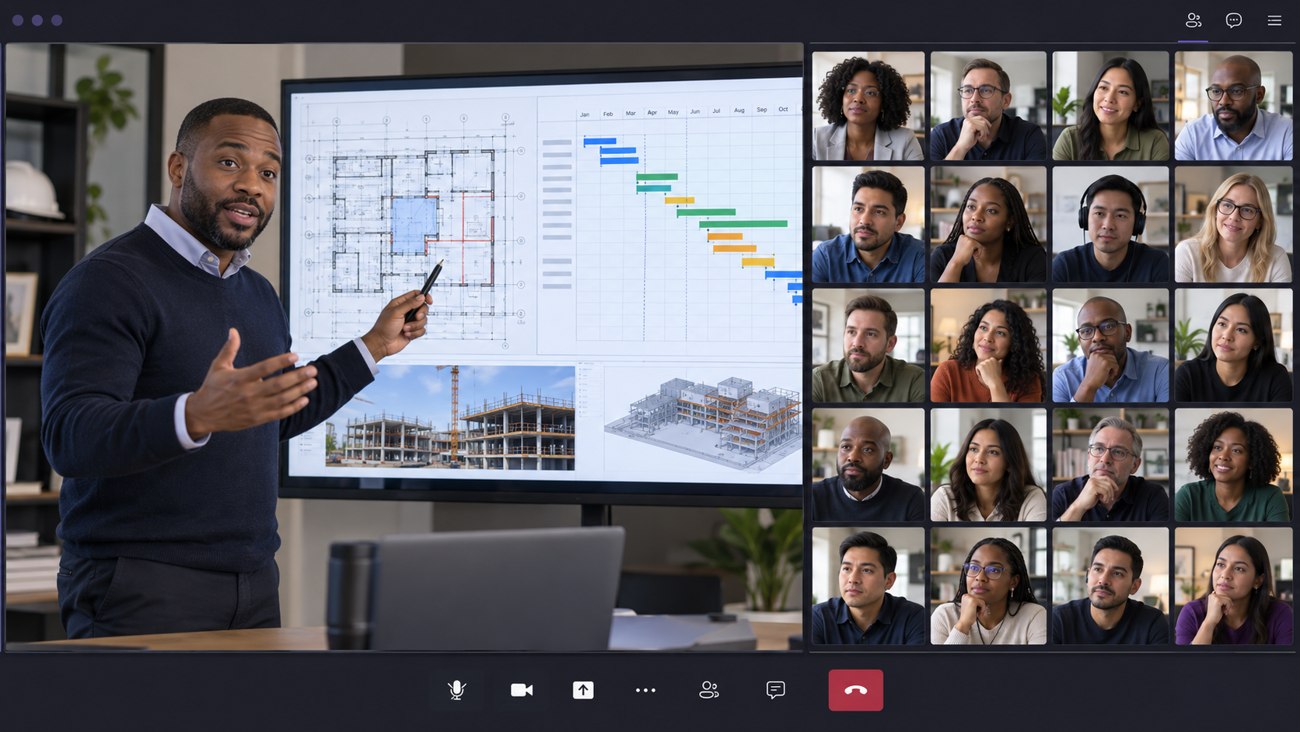
Illustrative online training session with an instructor on the left and a large participant gallery on the right
Team training

Hands-on sessions built around your team’s responsibilities and everyday documents.

  • Work through relevant project examples
  • Practice asking better questions
  • Learn how to verify and use the results
Discuss your team’s needs →
Coaching, copilots & application

Help your team use AI as a practical copilot for research, review, and follow-through, with coaching as they build confidence.

  • Refine prompts and review methods
  • Work through questions together
  • Create reusable templates and routines
Discuss your team’s needs →
AI consulting

Identify where AI can be useful in your business and shape a practical approach to adoption.

  • Identify priority use cases
  • Map information and review needs
  • Develop a focused implementation plan
Discuss your team’s needs →

Construction expertise.
Applied with AI.

Six disciplines connect your team’s everyday work with practical training, coaching, and consulting. Open a box to see how AI can help and what your team can review and use.

Document & deliverable control

Bring project information together so your team can find, compare, and use it.
Explore applications

Practical applications

  • Organize contracts, permits, drawings, logs, and required deliverables.
  • Build document indexes with clear source references.
  • Compare revisions and identify changes for review.
  • Check whether previous comments were addressed.
  • Track missing information, stated owners, and due dates.
  • Prepare concise project briefings and document handoff lists.

Useful outputs

Document register, revision comparison, deliverable checklist, and referenced briefing.

Discuss this with Upscale →

RFI & submittal management

Connect questions, requirements, reviews, and follow-ups.

Explore applications

Practical applications

  • Draft requests for information (RFIs) from a defined coordination question.
  • Cross-reference drawings and specification requirements.
  • Organize submittal comments and resubmission responses.
  • Compare review status with procurement and installation needs.
  • Identify unresolved questions, missing support, and stated commitments.
  • Prepare meeting topics and draft follow-up correspondence.

Useful outputs

RFI draft, submittal review matrix, response tracker, and follow-up list.

Discuss this with Upscale →

Agency & stakeholder coordination

Give each conversation the context and decisions it needs.

Explore applications

Practical applications

  • Organize permit, inspection, and stakeholder requirements from supplied sources.
  • Maintain a record of agency comments and team responses.
  • Summarize meeting decisions and unresolved requests.
  • Identify required participants and stated action owners.
  • Prepare agendas, coordination briefings, and draft updates.
  • Track supporting documents needed for the next submission or meeting.

Useful outputs

Requirements matrix, comment-response log, meeting briefing, and action register.

Discuss this with Upscale →

Cost & schedule control

Connect scope, timing, and commercial information to explore better options.

Explore applications

Practical applications

  • Review schedule sequencing, durations, overlaps, and missing work.
  • Compare procurement dates and lead times with installation needs.
  • Connect scope changes with affected activities and supporting records.
  • Organize change proposal backup and flag gaps for review.
  • Identify potential scope overlaps and cost questions worth investigating.
  • Prepare look-ahead priorities and decision lists.

Useful outputs

Schedule review questions, procurement look-ahead, change review worksheet, and decision log.

Discuss this with Upscale →

Risk, quality & compliance

Make requirements and open issues easier to review and follow through.

Explore applications

Practical applications

  • Extract relevant requirements from specifications and approved procedures.
  • Organize inspection findings and corrective-action records.
  • Compare resubmissions against prior review comments.
  • Connect recurring observations to possible underlying issues for verification.
  • Prepare checklists with source references and open-item status.
  • Capture lessons from quality issues for future planning and training.

Useful outputs

Referenced checklist, issue register, corrective-action tracker, and lessons-learned draft.

Discuss this with Upscale →

Project leadership & execution support

Put clearer information and shared experience in the hands of your team.

Explore applications

Practical applications

  • Prepare role-specific briefings from approved project information.
  • Connect meeting notes, reports, and correspondence into an action list.
  • Track decisions, responsibilities, and unresolved handoffs.
  • Turn recurring tasks into reusable review methods and templates.
  • Organize lessons learned by stage, discipline, cause, and response.
  • Support onboarding and team learning with approved project examples.

Useful outputs

Leadership briefing, responsibility matrix, reusable workflow, and searchable lessons register.

Discuss this with Upscale →

AI supports preparation and review. Your team checks source references, confirms conclusions, and retains responsibility for decisions and approvals.

Program and project oversight team

Program & project oversight

Give leaders a connected view of responsibilities, decisions, and opportunities across the program.

See how AI supports the work
  • Prepare executive briefings from project reports, meeting notes, and approved updates.
  • Compare milestones, responsibilities, and open decisions across projects.
  • Connect email commitments with action logs, owners, and due dates.
  • Draft meeting agendas, decision summaries, and follow-up emails.
  • Flag inconsistent status updates and missing supporting information.
  • Organize scope-change records and commercial questions for review.
  • Surface recurring constraints that may affect capacity or delivery.
  • Compare upcoming work with lessons from similar projects.
  • Turn prior lessons into early review questions and project-start checklists.
  • Prepare role-specific handoff briefings and onboarding summaries.
  • Track stakeholder and agency requests against stated commitments.
  • Identify repeatable reporting tasks your team could streamline.
Field operations team on site

Field operations

Turn field updates into clear coordination priorities and useful follow-through.

See how AI supports the work
  • Summarize daily reports, field observations, and open constraints.
  • Connect field questions to drawing references and prior decisions.
  • Check upcoming work against access, permits, materials, and inspection needs.
  • Compare delivery updates and submittal status with installation dates.
  • Prepare daily coordination agendas and short-interval look-ahead questions.
  • Organize trade interfaces and unresolved responsibility gaps.
  • Extract action owners and deadlines from field meeting notes.
  • Draft RFIs and clarification requests for team review.
  • Group punch items and observations by area, trade, and priority.
  • Bring relevant past field lessons into pre-task review checklists.
  • Prepare office-to-field briefings with source references.
  • Flag missing evidence and conflicting reports for follow-up.
Planning and constructability coordination

Planning, coordination & constructability

Connect design information with the sequence, readiness, and interfaces of the work.

See how AI supports the work
  • Cross-reference drawing sheets, details, specifications, and revisions.
  • Compare project scope against documented requirements.
  • Flag possible scope gaps, overlaps, and coordination questions.
  • Review schedule sequencing, durations, dependencies, and missing activities.
  • Compare installation dates with submittal review, procurement, and lead times.
  • Identify decisions that need to move earlier to support the work sequence.
  • Prepare coordination questions about access, logistics, and trade interfaces.
  • Organize design-review comments and track unresolved responses.
  • Build readiness checklists for upcoming work packages.
  • Connect scope changes to affected activities and supporting records.
  • Surface relevant lessons before planning and coordination meetings.
  • Prepare focused look-aheads and alternative sequence questions for review.
Quality and closeout walk-through

Quality, turnover & closeout

Make requirements, open items, and turnover information easier to manage.

See how AI supports the work
  • Extract inspection and acceptance requirements from project sources.
  • Organize inspection reports, test records, and corrective actions.
  • Compare resubmissions with prior review comments.
  • Track punch items by location, responsible party, and status.
  • Check turnover requirements against available records.
  • Identify missing warranties, manuals, training records, and certificates.
  • Organize as-built and record-document review questions.
  • Prepare system-by-system turnover and handoff checklists.
  • Connect recurring quality issues with relevant prior lessons.
  • Turn completed-project lessons into checks for the next project.
  • Summarize outstanding closeout commitments from emails and meetings.
  • Prepare owner-training agendas and operational handoff briefings.

See AI at work on a construction schedule.

Watch the overview: five checks that connect the schedule with drawings, procurement, change orders, specifications, and constructability.

Featured overview · AI-assisted schedule review

Open the video overview page ↗

Start with one useful application. Build from there.

Project manager selecting a drawing-review task from project documents

Choose the work.

Identify the recurring task or business goal where your team wants better information, less repetitive effort, or stronger follow-through.

Trainer guiding colleagues through drawing revisions and source verification

Learn with real examples.

Use appropriate project materials to practice the workflow, assess the output, and learn what needs human verification.

Field team applying a checklist and coordinated drawing to upcoming work

Put it into practice.

Give your team a repeatable method, starter templates, and a clear approach to reviewing results.

Try a practical AI workflow yourself.

Start with three free introductory prompts for schedule review, drawing coordination, and understanding email threads.

A few questions before you begin.

Do we need to buy a new AI system?

The focus is training and support. We start by understanding the tools you already use and whether they can support the selected workflow. Any additional tools can be discussed based on your needs.

Can training fit different roles and team sizes?

Yes. We can discuss training for individuals, project teams, departments, or company groups, and shape the examples around the responsibilities of the people attending.

Can you help us apply what we learn?

Coaching and consulting can support practical application, help refine workflows, and turn successful exercises into repeatable team practices.

What should we bring to the first conversation?

A task you want to improve, the roles involved, and the tools your team uses. You do not need to share project files to begin the conversation.

Book a free 30-minute conversation

Choose a time to discuss your project, workflow or training needs.

Open calendar in a new tab

Calendly loads when requested. Its privacy options apply.

Where could AI help your team move forward?

Tell us what your team spends time on, where information gets stuck, and what you want to achieve. Let’s discuss a practical starting point for training or support.

Let’s talk about your team.

Your inquiry is saved securely. We will follow up about your team’s needs.